 JobCairn
Your job search, in one folder on your computer.
JobCairn finds jobs in your own Chrome, scores how well you fit, reads each ad for visa sponsorship wording, and tailors your resume and cover letter. It runs on your own Claude plan, and every file stays on your computer.
Find, score, tailor, apply, prepare.
The app follows the order of a real search. Claude does the reading and writing. You make every decision.
-
Step 1 of 5
Find jobs in your own Chrome
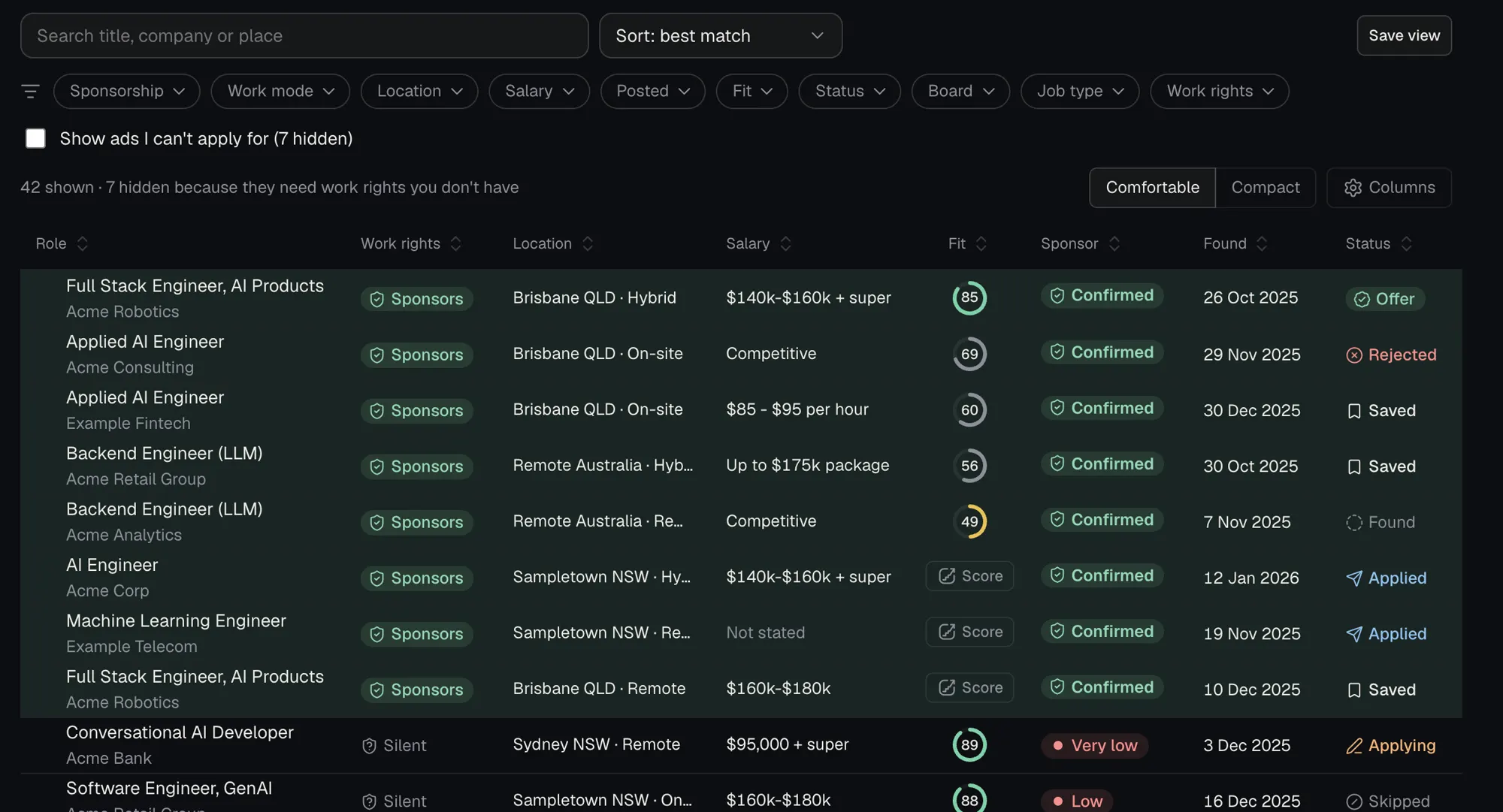
Claude reads job boards such as SEEK, LinkedIn, Indeed and company career pages in your own browser, read-only, and saves each ad into your folder. You're responsible for following each site's terms.
- Searches run in the last 7 days are skipped.
- Ads that need work rights you don't have are set aside, and you can still show them.
- One set of filters, shared by Settings and Find jobs: places in order of preference, work mode, pay, job type, posted date, sponsorship only and companies to skip.
- Found a job yourself? Paste its link and JobCairn fills in the details for you to check.
-
Step 2 of 5
Score your fit, with the evidence
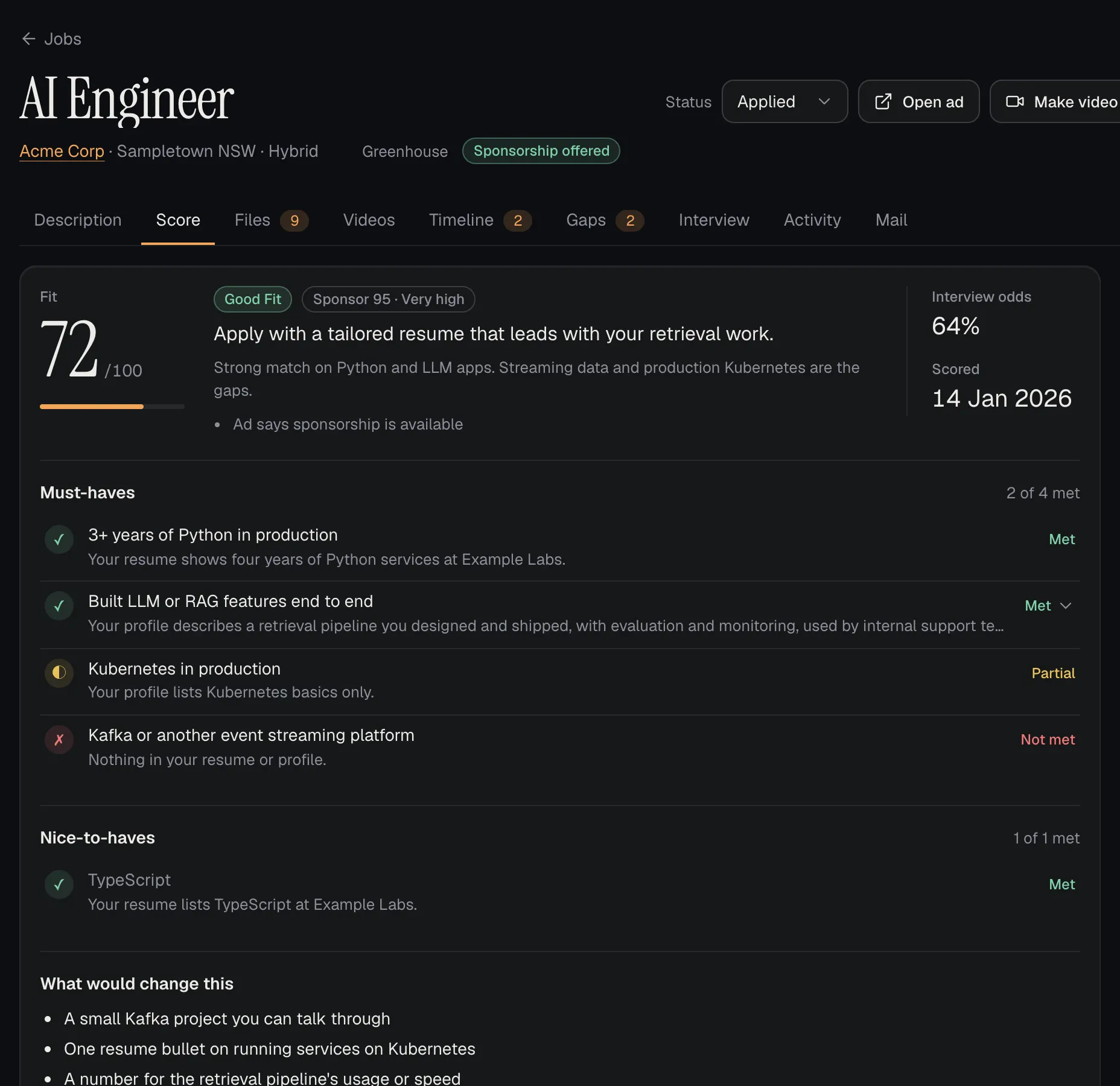
Each job gets a fit score and interview odds. Every must-have is marked met, partial or not met, with the line in your resume or profile that shows it.
- A plain recommendation: apply, tailor first, or skip.
- The gaps, and what would change the score.
- A sponsor score from the ad's wording and what's known about the employer.
-
Step 3 of 5
Tailor your resume and cover letter
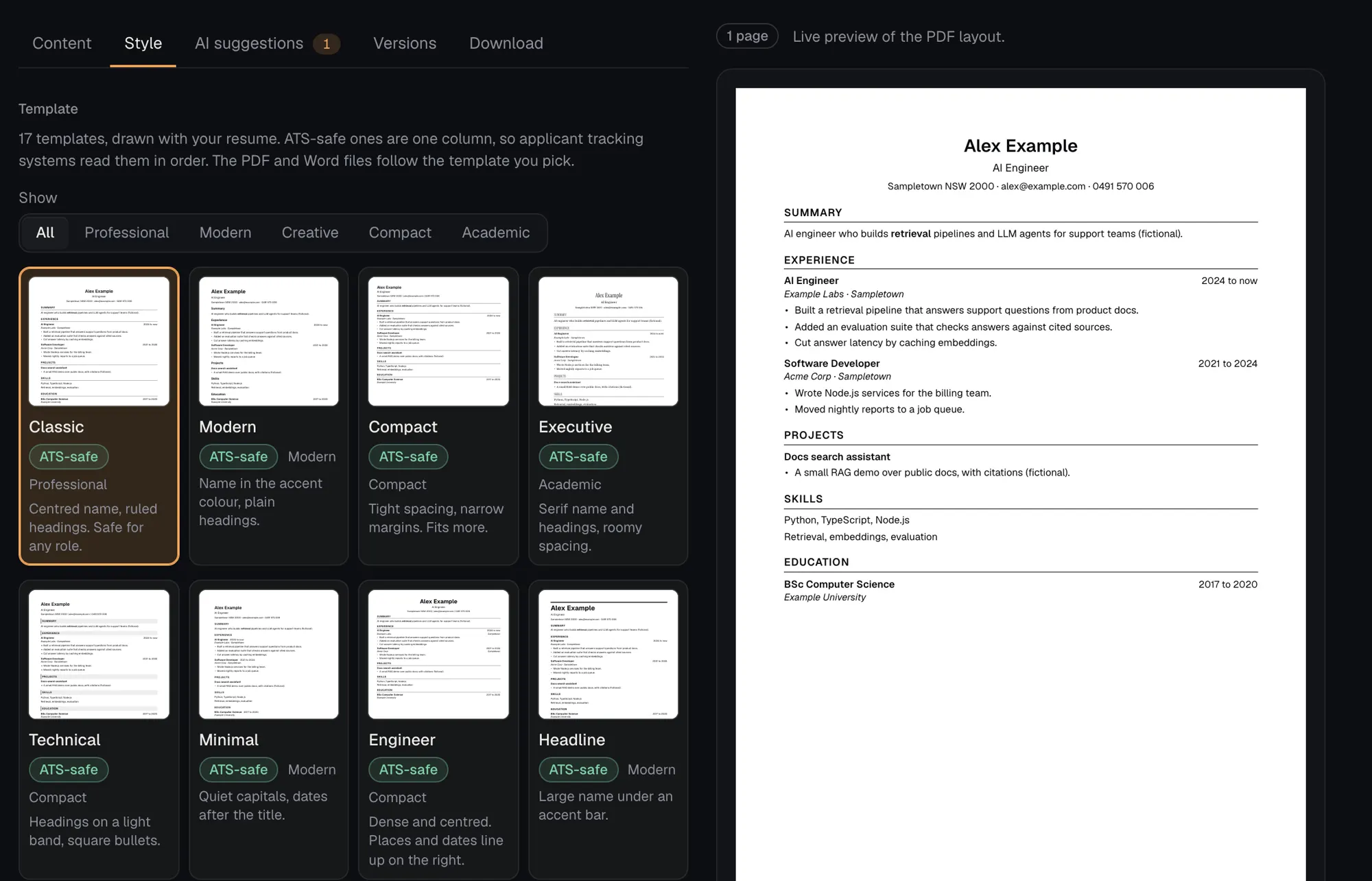
Claude drafts a version of your resume for the job, using only what's already in your resume and profile. You edit it with a live preview of the page.
- 17 templates. The ATS-safe ones are one column, so tracking systems read them in order.
- Download as PDF or Word.
- A cover letter for the same job, in your words.
-
Step 4 of 5
Apply, with your OK at every step
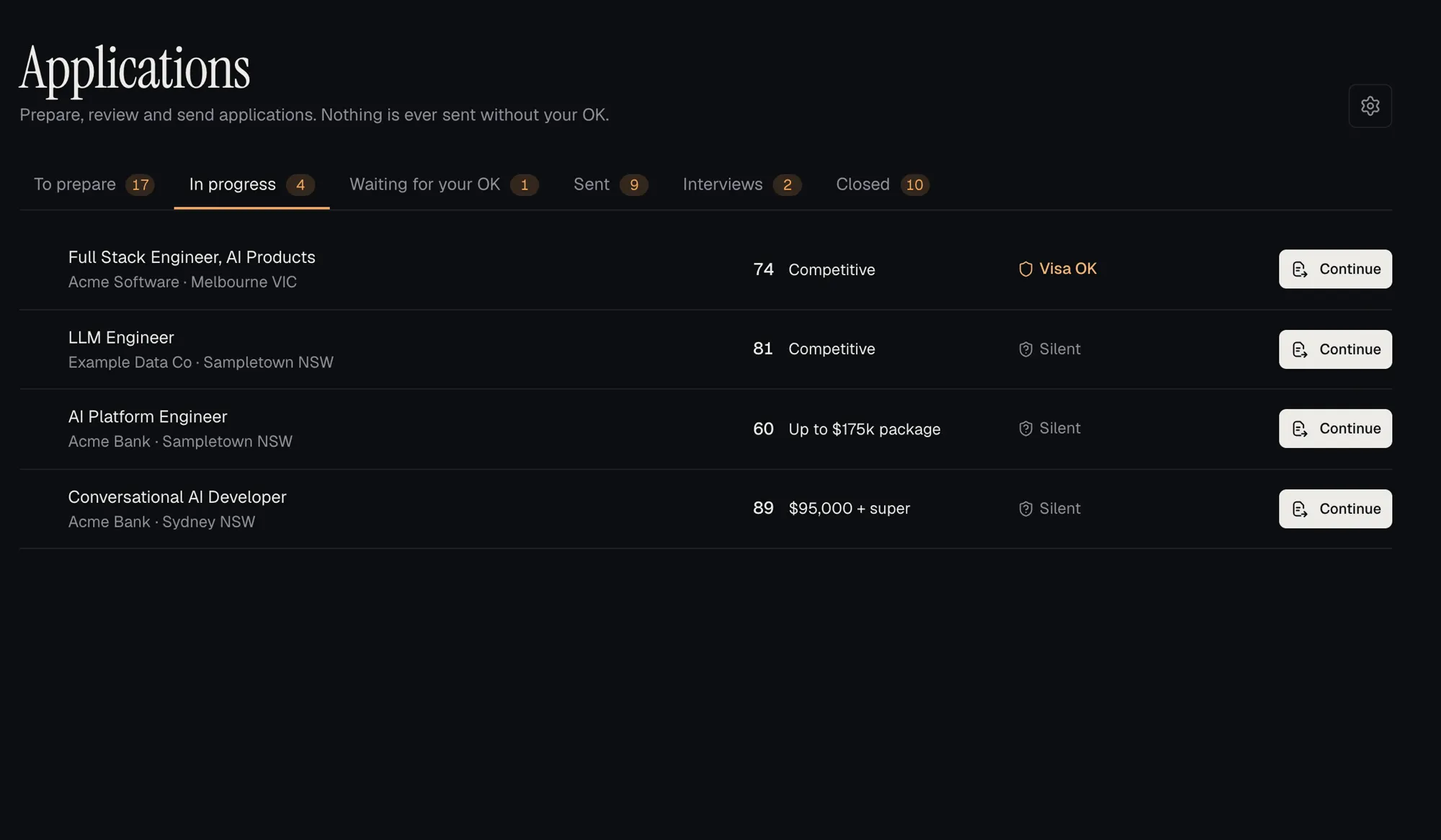
Applications move from preparing, to waiting for your OK, to sent. Emails to recruiters are drafted for you to read and approve before anything goes out.
- Connect Gmail and job email is filed under the right job.
- Follow-ups and interviews show on the home screen.
-
Step 5 of 5
Prepare for the interview
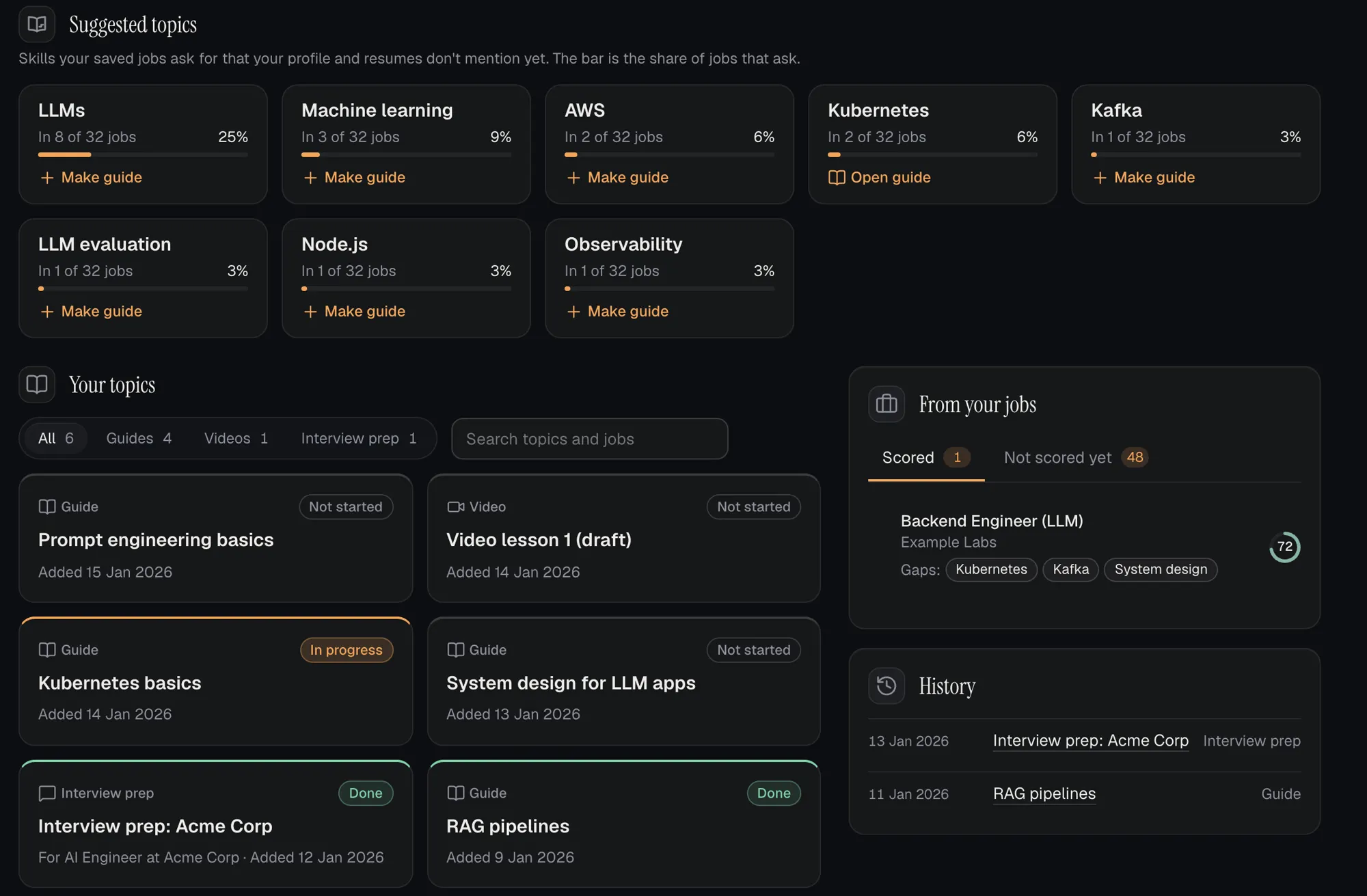
JobCairn spots the skills your saved jobs ask for that your resume doesn't mention yet. Claude writes study guides with diagrams, interview prep for each job, and short narrated videos.
- Topics ranked by how many of your jobs ask for them.
- Seven kinds of video, from a job walkthrough or a lesson to a practice pitch and your weekly recap.
- Narration uses an AI voice, and every video carries an "AI voice" mark.
A few more things it does.
One app for the whole search, so it doesn't live in ten browser tabs and a spreadsheet.
Bring in any job, and keep it tidy.
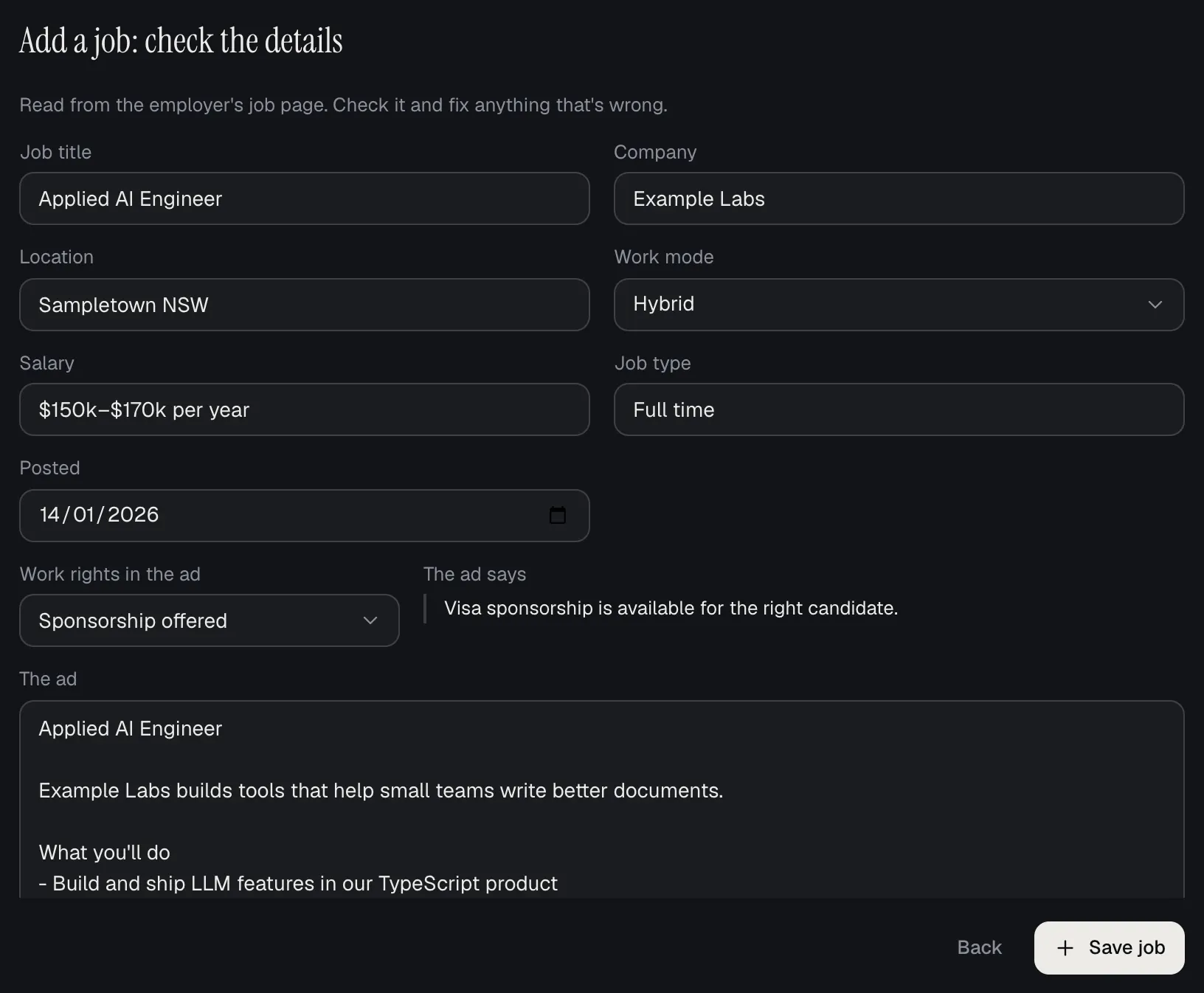
Add a job by link
Paste a link from a job board or a company's careers page. JobCairn reads the ad and fills in the title, company, place, work mode, pay and job type, plus what the ad says about work rights, quoted word for word. You check it, then save.
Links from applicant systems such as Greenhouse and Lever are read straight away. SEEK, LinkedIn and Indeed ads are read in your own Chrome once you connect it. Anywhere else, paste the ad's text.
- Visa sponsorship signals
- Each ad is read for work-rights wording: sponsorship offered, open to visa holders, silent, or citizens and PR only. Built for people who need sponsorship in Australia.
- A drop box for loose files
- Drop in a file, like a cover letter you sent, and JobCairn suggests the folder it belongs in. You decide where it goes.
- No double-ups, and Undo
- The same ad, or the same job at the same company, isn't added twice. Deleted something by mistake? Undo it, or restore it from Recently deleted for 30 days.
- Job mail, filed
- Connect Gmail and each job email lands under its job. Anything unclear waits in Mail to sort.
See and hear what's going on.
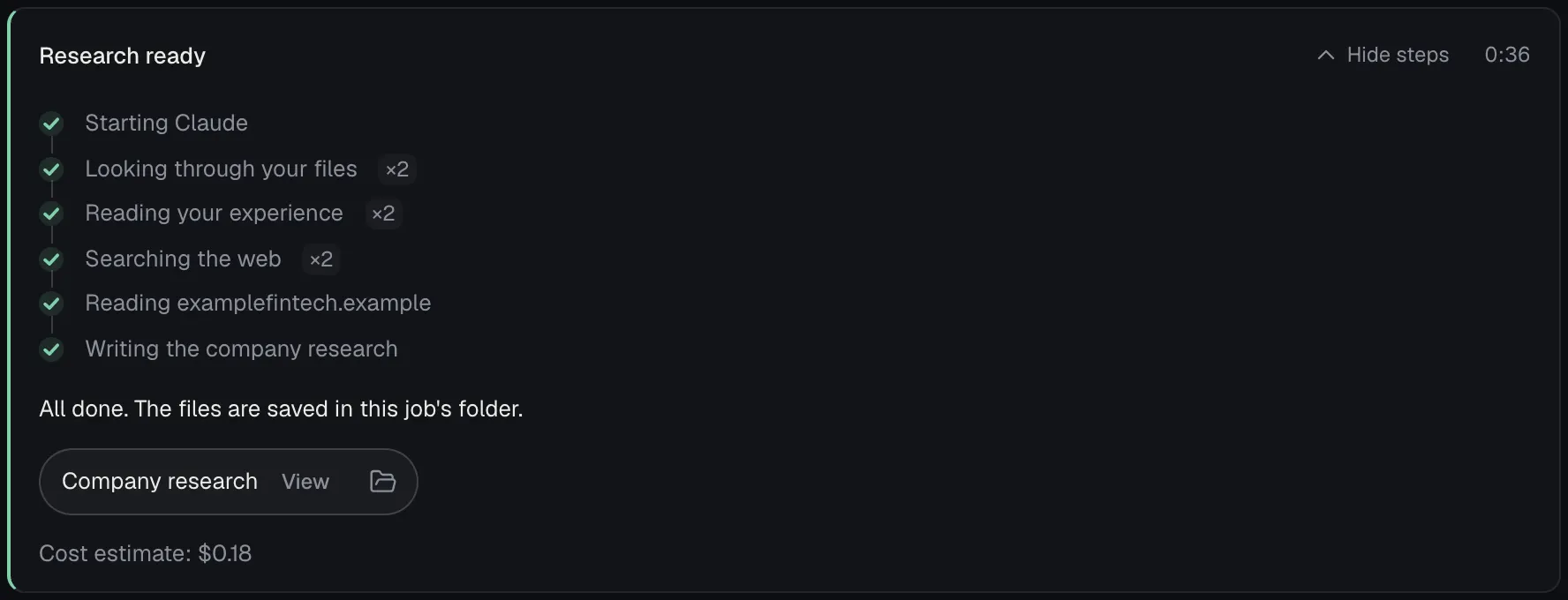
Watch Claude work
While Claude searches, scores or writes, you see each step as it happens. When it's done, you see the files it made and Claude Code's own cost estimate for the run (an estimate, not a charge).
- Listen
- Hear a job ad, a study guide, company research or your application documents read aloud. By default the voice runs on your Mac.
- Videos with an AI voice
- A job walkthrough, a company briefing, a lesson, interview prep, a practice "tell me about yourself" pitch and a weekly recap. Each one is clearly marked "AI voice".
- Write with Claude
- For job email, Claude drafts from your profile, resume and the job. Then make it shorter, warmer or more formal, or fix the grammar. Nothing is sent until you review and send it.
- A home screen that keeps count
- Your pipeline, sponsorship mix and what's due today, including the days left on your visa if you set a date.
Your search stays on your computer.
Your workspace is a folder on your computer. You can open it, back it up or move it like any other folder.
- Files, not a cloud database
- Jobs, resumes, letters, scores and filed emails are saved as files in your workspace folder.
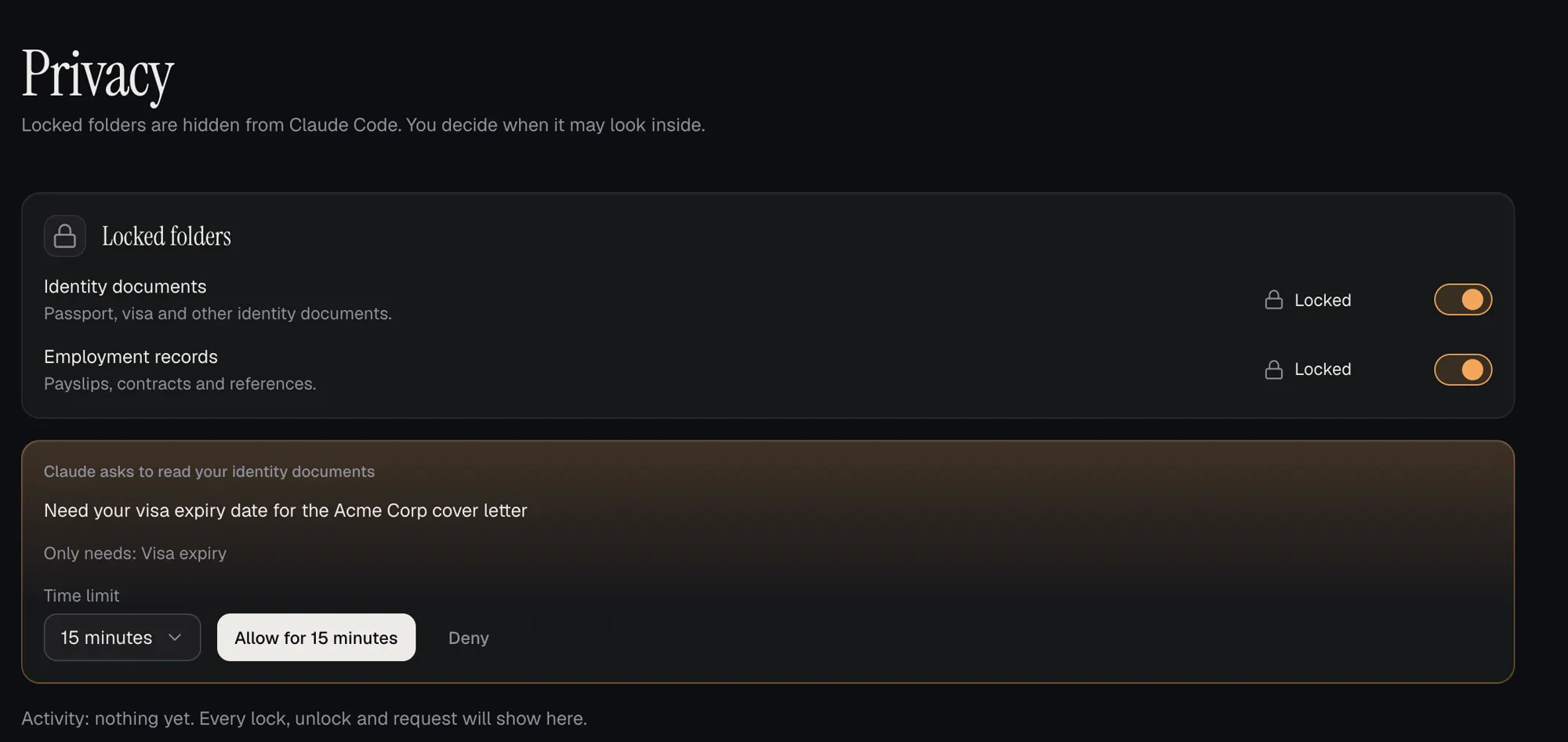
- Identity and employment documents are locked
- JobCairn hides those two folders from Claude. If Claude needs something inside, like a visa expiry date, it asks and says what for. Allow it for 15, 30, 60 or 120 minutes, or deny it. Only that folder opens, and it locks again when the time is up.
- Nothing goes out without your OK
- Applications and emails wait for your approval. Searching reads job sites. It doesn't apply or message anyone.
- No trackers on this site
- This page loads no analytics, ads or third-party scripts.
Works with your Claude plan.
JobCairn uses Claude Code, signed in to your own Claude account. You need a Claude plan that includes Claude Code. JobCairn never sees or stores your login.
Each piece of work, like a score or a resume draft, counts toward your plan's usage limits. The app shows Claude Code's own cost estimate for each run (an estimate, not a charge), so you can see what a piece of work used.
What Claude reads to do the work goes to Anthropic under your own account's terms. Read Anthropic's consumer terms.
JobCairn is an independent product. It isn't made by or affiliated with Anthropic.
Questions.
Is it free?
Yes, during early access. You do need your own Claude plan that includes Claude Code, because Claude does the reading and writing through your account.
Which systems does it run on?
macOS 13 (Ventura) or later, on Apple silicon or Intel Macs. Windows and Linux versions are planned. See how to install.
Is the source code available?
No. We publish the app itself, not its source code.
Do I need a Claude subscription?
Yes. JobCairn does its reading and writing through Claude Code, signed in to your own Claude account, so you need a Claude plan that includes Claude Code. Usage counts toward that plan.
Will it apply for jobs on my behalf?
No. It finds jobs, prepares your resume, cover letter and emails, and tracks each application. Nothing is sent until you approve it.
Does it help if I need visa sponsorship?
Yes. It reads each ad for sponsorship and work-rights wording, sets aside ads that need rights you don't have, and scores how likely an employer is to sponsor. It reports what ads and public sources say. It isn't migration advice.
Where is my data kept?
In a folder on your computer that you choose. When Claude runs, what it reads goes to Anthropic under your Claude account's terms.
Does it use my job site accounts?
It searches in your own Chrome, where you're already signed in. It reads ads. Saving jobs on a site, applying and messaging stay with you.
Free during early access.
Download JobCairn for your Mac and bring your own Claude plan. The install guide walks you through it.
macOS 13 or later. Windows and Linux coming soon.
Discussions are for questions and help, and they're public. Don't post your email, phone or resume.